General Settings control your business identity and the ways WordPress users and commenters can become Kelune CRM contacts.
Open Kelune CRM → Settings, then select General.
Business identity
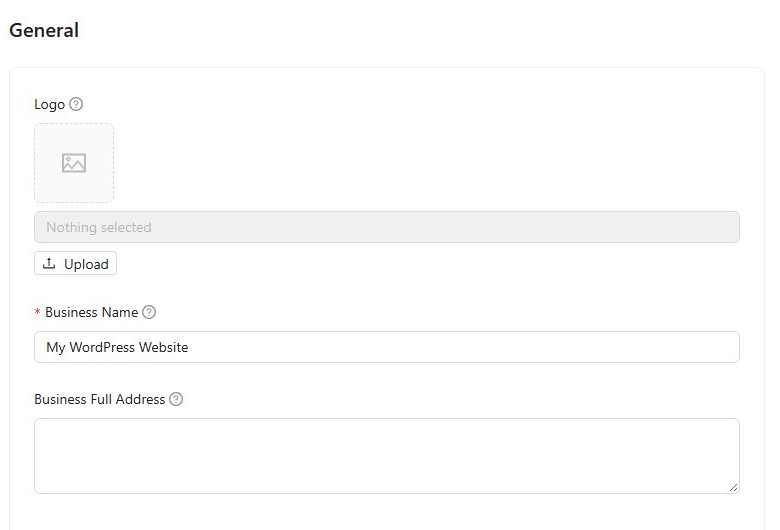
The first section contains:
- Logo — shown on unsubscribe and subscription-confirmation pages. A square image of at least 400 × 400 pixels works best.
- Business Name — required and used in email footers and public pages.
- Business Full Address — available through the
{{business_address}}merge tag and commonly required in marketing emails.
WordPress Account Sync
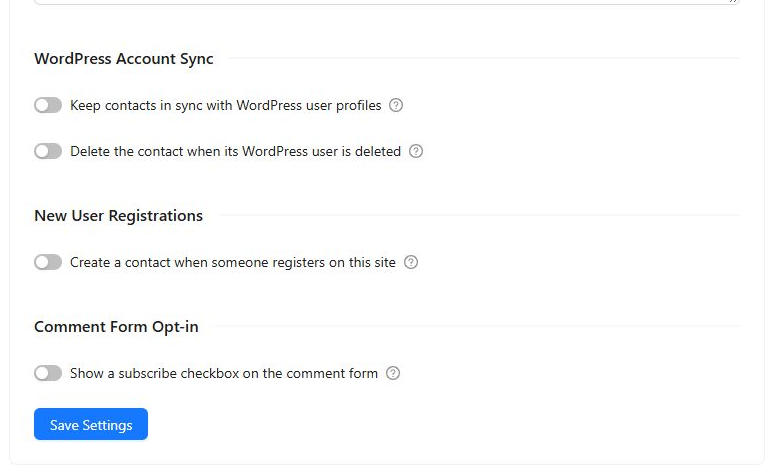
Enable Keep contacts in sync with WordPress user profiles when a linked contact’s name and email should follow changes made to the corresponding WordPress account.
This synchronization is one-way: editing a contact in Kelune CRM does not update the WordPress user account.
The optional Delete the contact when its WordPress user is deleted setting permanently removes the linked contact and its CRM data when the WordPress user is deleted.
New User Registrations
Enable Create a contact when someone registers on this site to add new WordPress users to Kelune CRM automatically.
When enabled, additional controls let you:
- Assign new contacts to selected lists.
- Apply selected tags.
- Require email confirmation through double opt-in.
Comment Form Opt-in
Enable Show a subscribe checkbox on the comment form to let commenters choose whether to join your audience.
When enabled, you can configure the checkbox label, assign lists and tags, hide it from logged-in subscribers, and require double opt-in.
Save your changes
Select Save Settings after making changes. A confirmation message appears when the settings have been stored successfully.
Settings for senders, email footers, providers, custom fields, double opt-in, compliance, roles, and cron monitoring are available in their own sections of the Settings menu.