Kelune CRM Pro is an add-on for the free Kelune CRM plugin. Install and activate the free plugin first; Pro extends the existing Kelune CRM screens rather than adding a separate WordPress menu.
Before you begin
Make sure your site has:
- WordPress 6.6 or later.
- PHP 8.1 or later.
- Kelune CRM Free version 1.0.5 or later, installed and active.
- The Kelune CRM Pro ZIP file and the license details supplied with your purchase.
If you have not installed the free plugin yet, follow How to Install and Activate Kelune CRM first.
Install the Pro add-on
- In WordPress, open Plugins → Add New Plugin.
- Select Upload Plugin.
- Choose the Kelune CRM Pro ZIP file.
- Select Install Now.
- When installation finishes, select Activate Plugin.
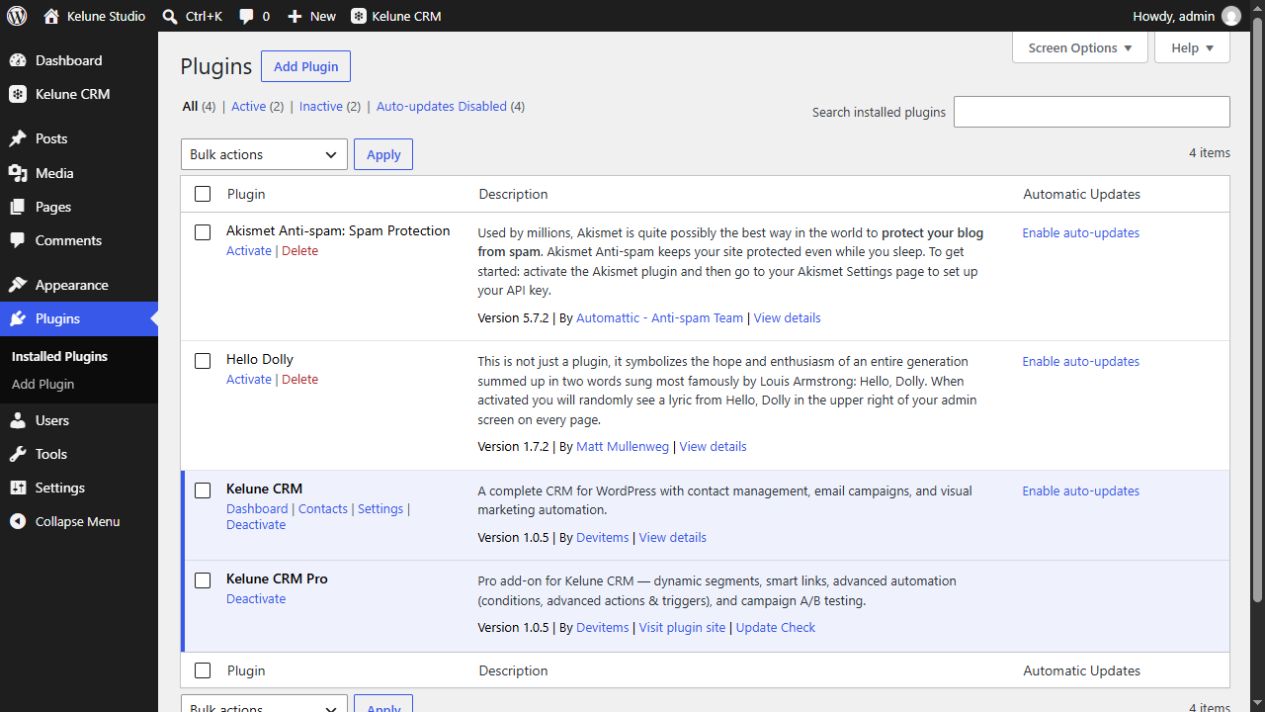
You can also upload the extracted kelune-crm-pro folder to /wp-content/plugins/ and activate Kelune CRM Pro from the WordPress Plugins screen.
Activate the license
After activating the add-on:
- Open Kelune CRM → License.
- Enter the License Code supplied with your purchase.
- Enter the associated Email Address.
- Select Activate License.
- Wait for the successful activation confirmation.
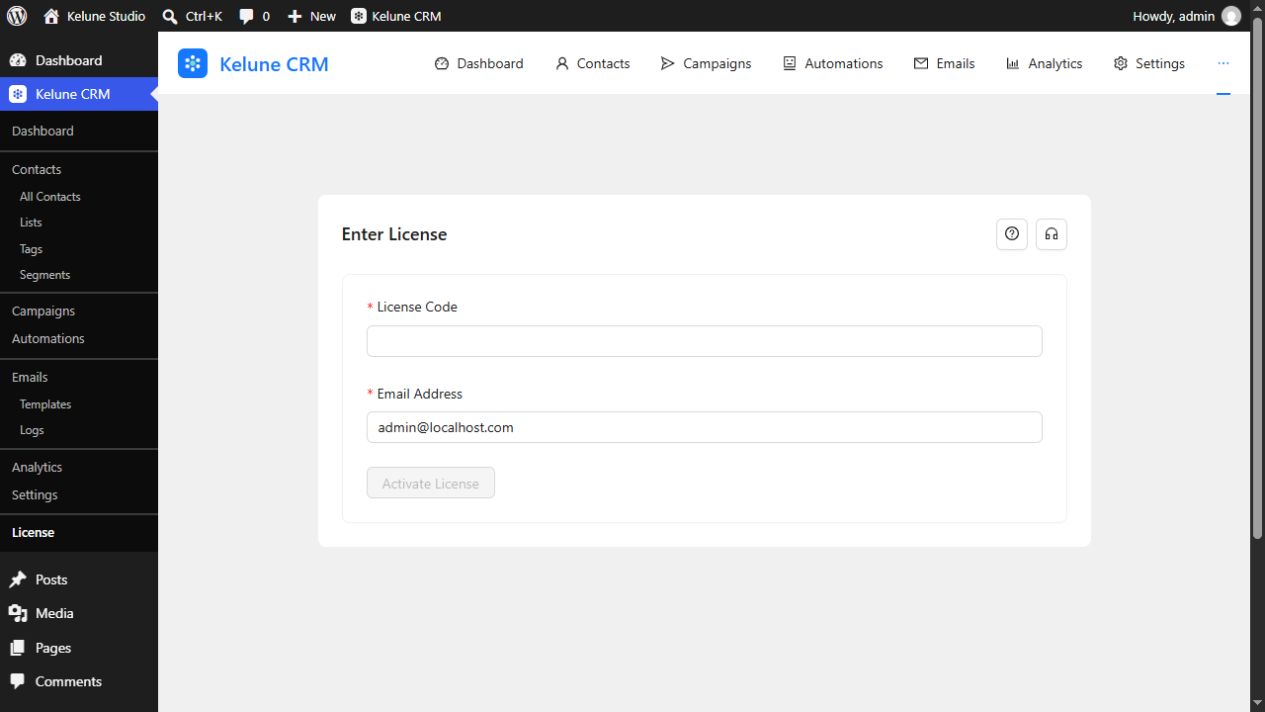
A valid license unlocks the Kelune CRM dashboard while Pro is active and enables automatic updates for the add-on.
Confirm that Pro is working
Return to the Kelune CRM dashboard and check that it opens normally. Pro features appear inside the existing CRM areas, including dynamic segments, smart links, advanced automation options, and campaign A/B testing.
There is no separate Kelune CRM Pro dashboard or top-level menu.
Troubleshoot installation or activation
Pro reports that the free plugin is unavailable
Install, update, and activate Kelune CRM Free first. When the free plugin is missing, inactive, or too old, Pro stays dormant and displays an admin notice instead of loading its features.
The CRM opens the License page only
This means Pro is active but does not have a valid license. Check the license code and purchase email, confirm that the site can make outbound HTTPS requests, then try Activate License again.
The ZIP will not install
Confirm that you selected the original installable plugin ZIP, not a larger download package containing documentation or other files. Also check the site’s upload-size limit and file permissions.
Pro features do not appear
Confirm that both plugins are active, Kelune CRM Free meets the minimum required version, and the Pro license is active. Then reload the WordPress admin.